New: category budgets and balance forecast

Spending, savings, and investments.
One number.

The free personal finance app, in your language and your currency

A spreadsheet holds numbers; Moneydy keeps them alive. Import your bank statement and your rules sort it, recurring bills show up before they land, each category counts down against its own budget and your balance is forecast weeks ahead. Stock and crypto prices refresh themselves, and it all rolls up into one live number, in dollars, euros or reais.

  • No bank login
  • No credit card
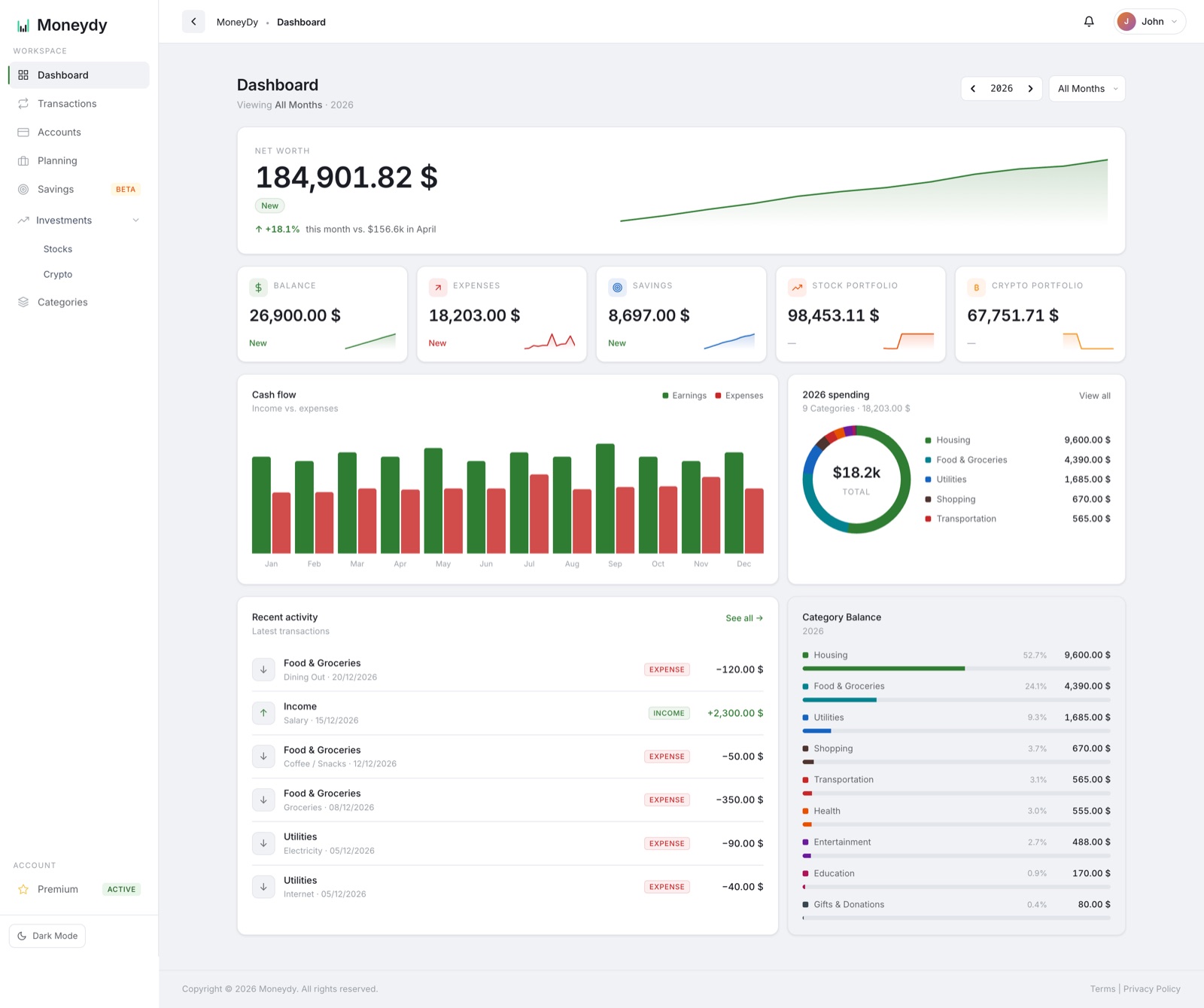
Moneydy dashboard: net worth, balance, expenses, savings and portfolio cards, and the bills coming up in the next 30 days
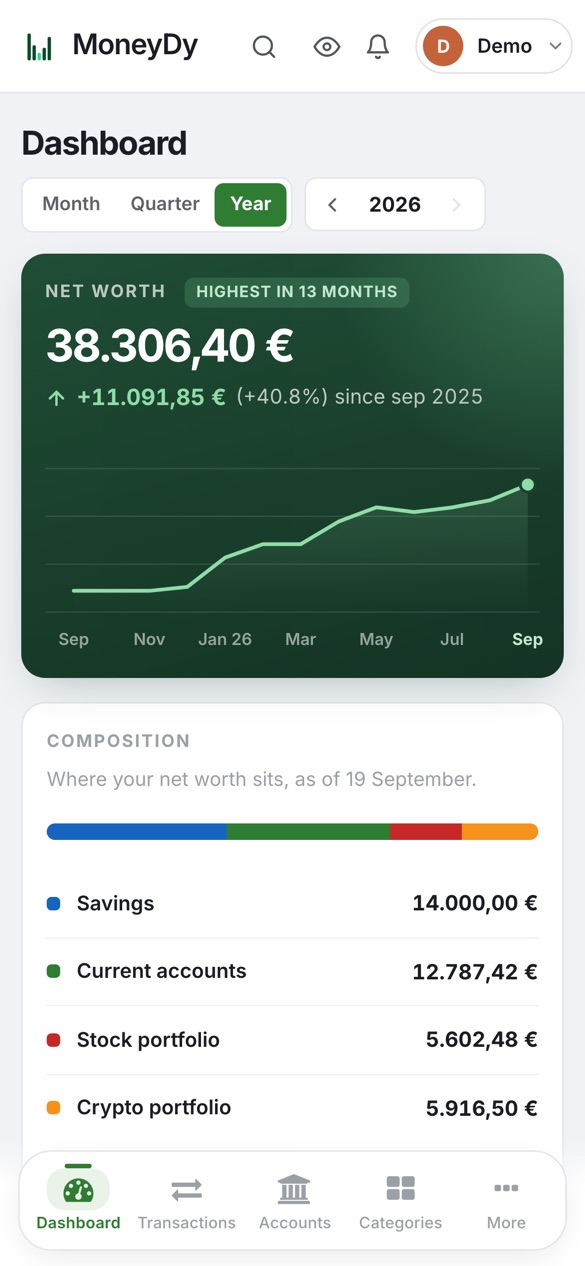
Moneydy on a phone

"Can't I just use a spreadsheet?"
You can. Here's the difference.

A spreadsheet stores numbers. Moneydy keeps them alive, and does the maintenance for you.

Your spreadsheet
Moneydy
Stock & crypto prices
Typed in by hand, stale by lunch
Refresh themselves with live quotes
Charts & reports
You build and fix every chart
Draw themselves as you spend
Staying on budget
Re-check formulas at month-end
Each category counts down in real time
Where it lives
One file on one computer
Phone, tablet and laptop, always in sync
Getting started
Starts empty, stays manual
Import your bank's CSV or Excel export; rules sort it into categories
Rent, salary, subscriptions
Copied into every month by hand
Set up once, recorded on the day, shown 30 days ahead
Money for the weeks ahead
A guess, if you do the maths
Forecast day by day from your bills and usual spending
Knowing when to act
You remember to check. Or you don't.
Sentinel's price alerts check your targets every hour

And unlike bank-sync apps: no bank login, ever. You decide what goes in, and your data stays yours.

Less typing.
Nothing forgotten.

Bring in your bank's export and Moneydy does the tidying: categories, duplicates, transfers and the bills that come back every month.

Smart import

Your bank statement, sorted in one pass

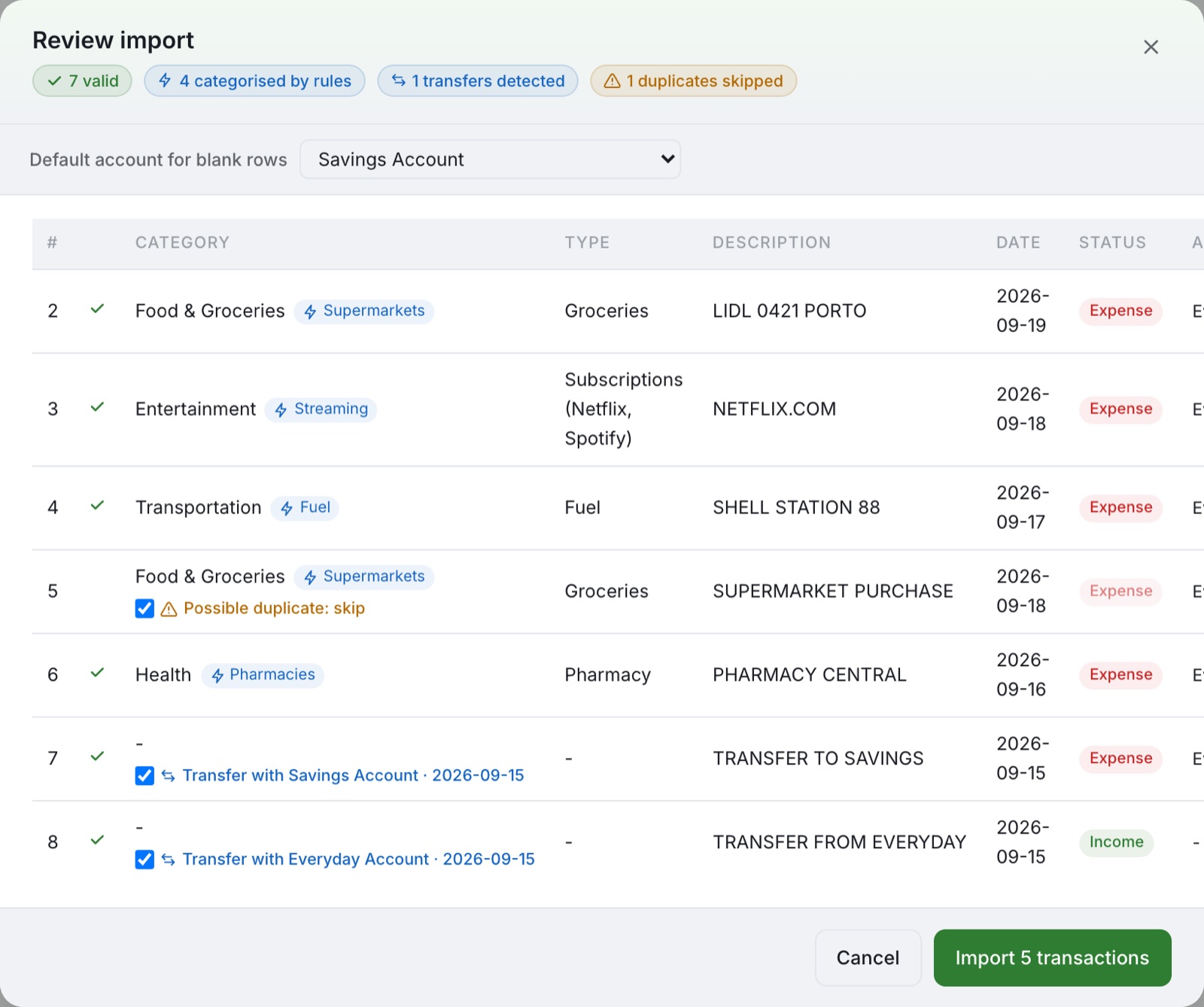
Export a CSV or Excel file from your bank and drop it in. Moneydy finds the date and amount columns on its own, your rules pick the category, and you review every line before anything is saved.

  • Column names from Portuguese, English and Spanish banks are recognised, including separate debit and credit columns
  • Lines you've already recorded are flagged as possible duplicates, so you can skip them with one click
  • Money moved between two of your accounts becomes one transfer, not an expense plus an income

Up to 1,000 lines per file. Or use our template if your bank exports something unusual.

app.moneydy.com/transactions
Import review: lines categorised by rules, a possible duplicate flagged and a transfer between two accounts detected
Rules

Categorise a merchant once, never again

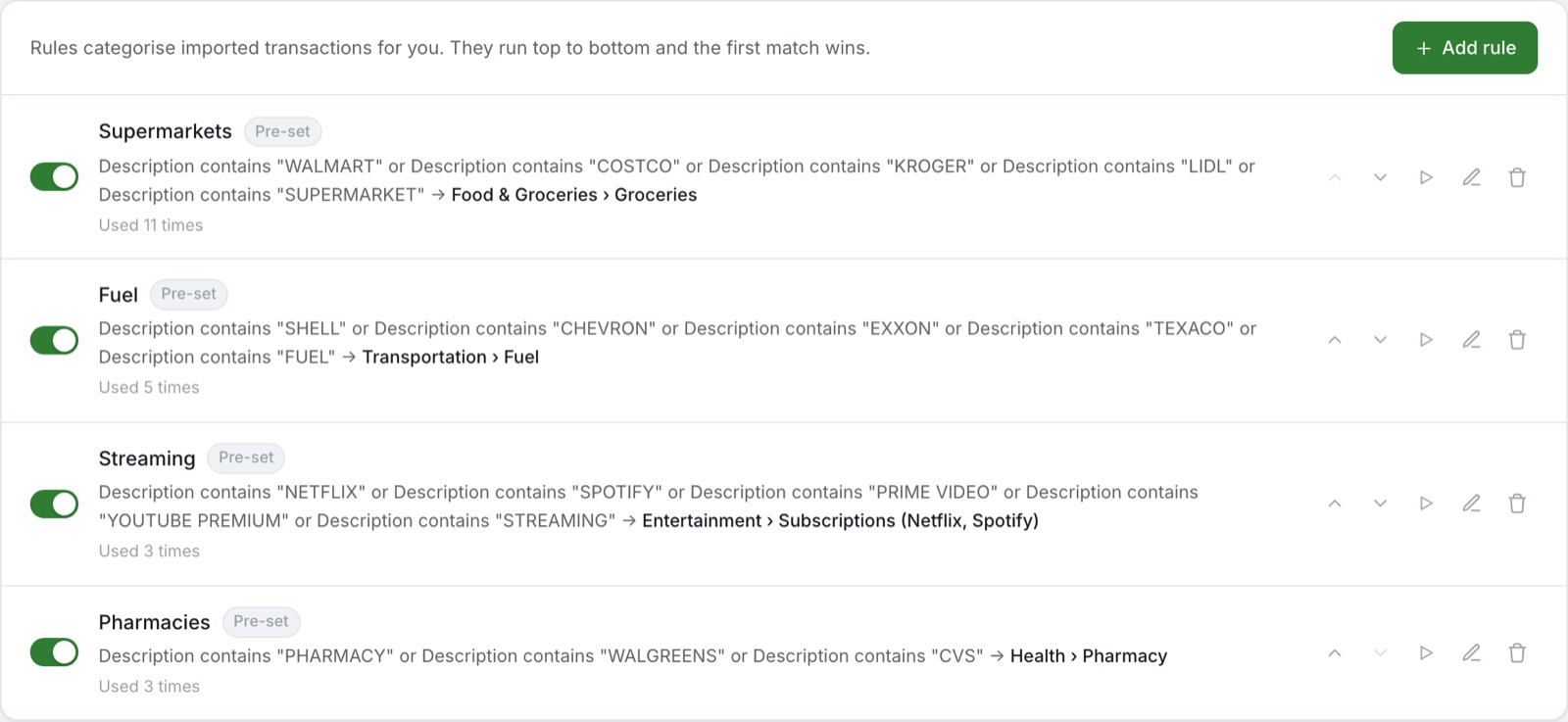
Tell Moneydy that anything containing "PINGO DOCE" is groceries and every future import follows. New accounts start with pre-set rules for common supermarkets, fuel, streaming and pharmacies.

  • Match on description, amount, type or account, with up to 5 conditions
  • Fix a category while importing and save it as a rule on the spot
  • Apply a rule to past transactions, with a preview before anything changes
app.moneydy.com/categories
Auto-categorisation rules for supermarkets, fuel, streaming and pharmacies
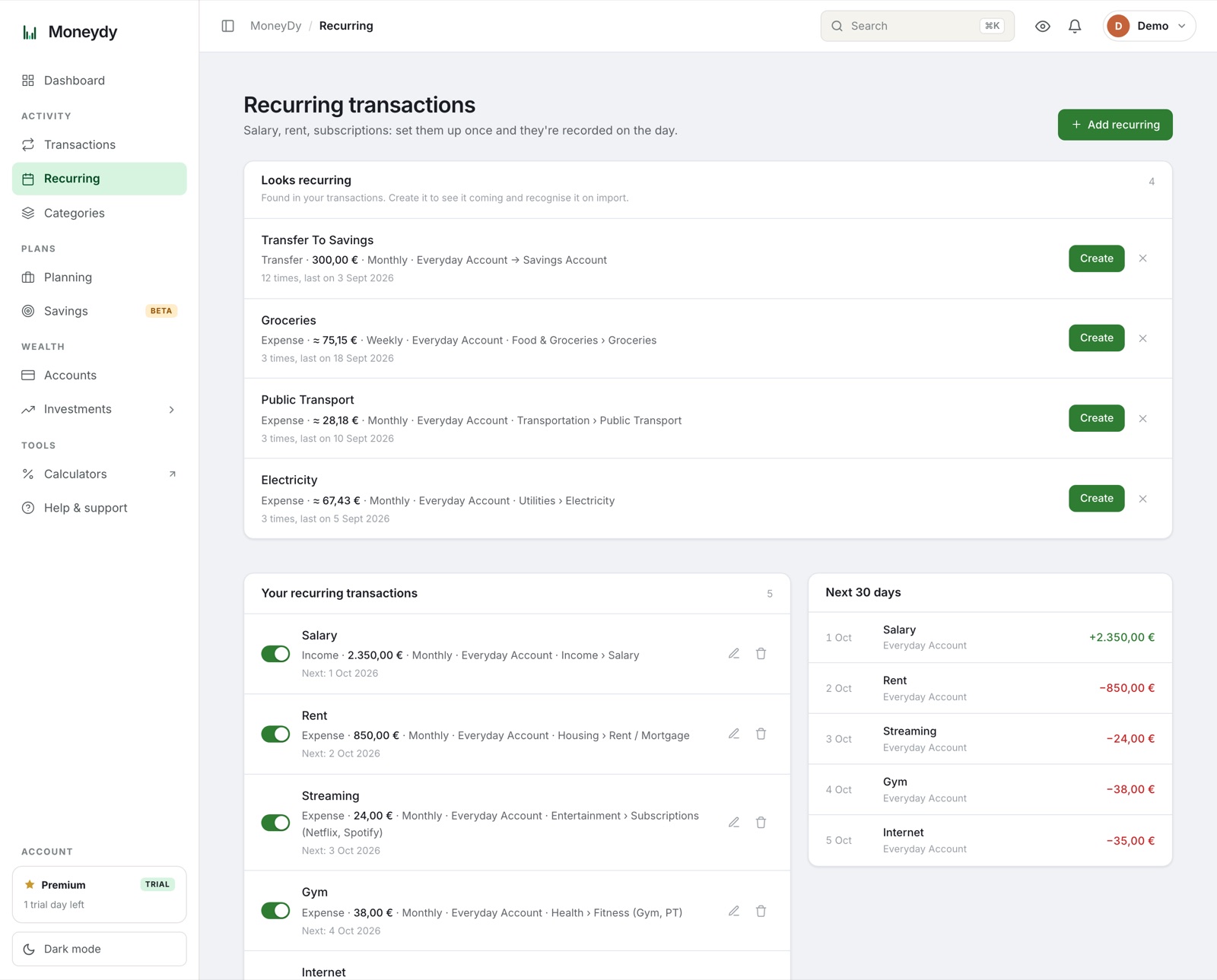
Recurring

See this month's bills before they land

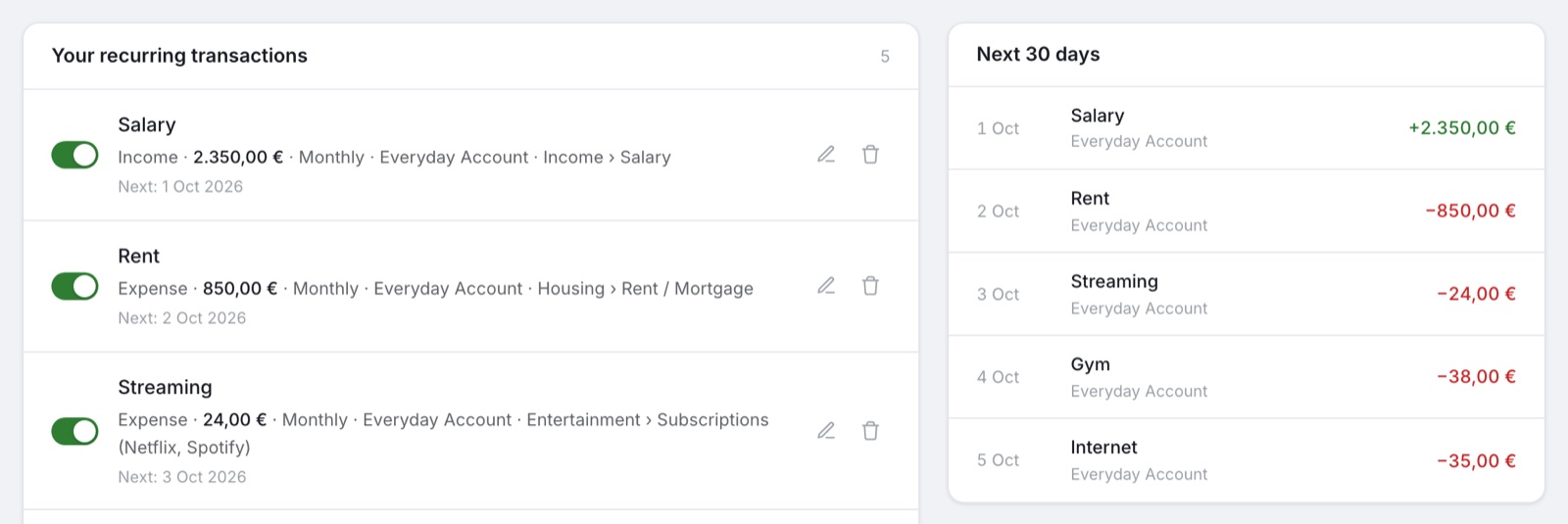
Salary, rent, subscriptions: set them up once. Moneydy records each one on the day, or waits for you to confirm, and the dashboard shows what's coming in the next 30 days.

  • Weekly, monthly or yearly, moved to Friday or Monday when it falls on a weekend
  • "Looks recurring" spots payments that repeat in your history and offers to set them up
  • On import, the statement line is matched to its recurring transaction instead of being added twice
app.moneydy.com/recurring
Coming up: salary, rent and subscriptions due in the next 30 days

Know what's left.
See what's coming.

Moneydy looks ahead as well as back: a limit for each category you care about, and your balance day by day for the weeks to come.

Category budgets

A limit for the categories that run away

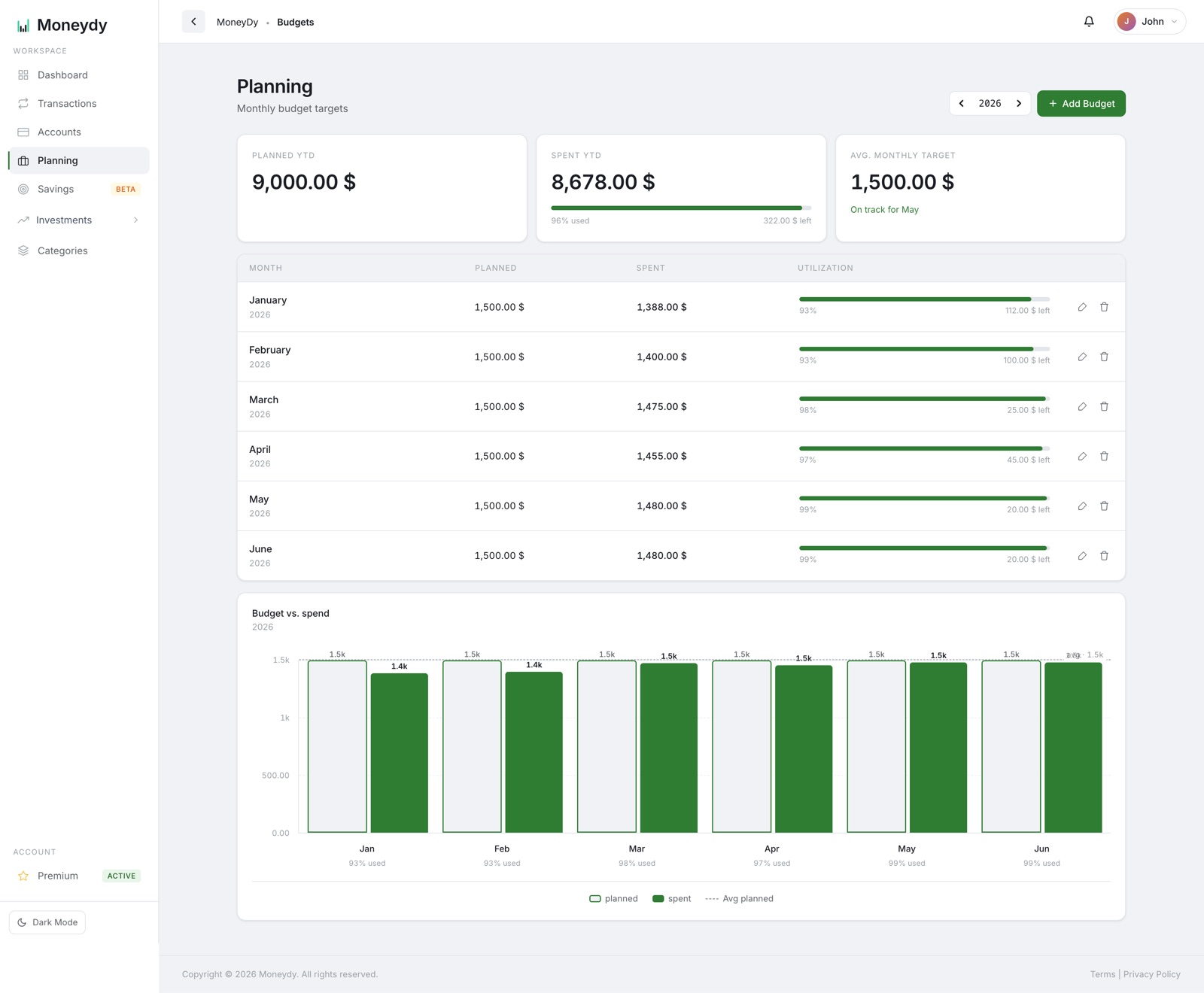
Give groceries, eating out or anything else its own monthly limit. It repeats every month until you end it, and every expense counts it down on the Planning page.

  • Bars turn amber at 80% and red at 100%, with a notification at both and an email when a category goes over
  • Raise a limit from next month and the months before keep the old one, so past months still add up
  • Spending in categories without a budget is shown too, and you're warned if the limits add up to more than your monthly budget

The Free plan includes 3 categories with a budget.

app.moneydy.com/budgets
Balance forecast

Will the money last the month?

The dashboard projects your bank and cash balance day by day from today: transactions you've dated ahead, your recurring bills and income, and what you usually spend on everyday things.

  • See the lowest point ahead and the first day the balance would go below zero
  • If you have recurring income and your balance is heading below zero in the next 14 days, you get a notification and an email
  • Choose which accounts count: bank and cash by default, savings with one tap

An estimate, not a promise: irregular income isn't counted. 30 days ahead on the Free plan, up to 90 on Premium.

app.moneydy.com/dashboard

Everything you need to
master your money

Spending, budgets, savings and investments in one place, all working from the same numbers.

Dashboard & Search New

See where your money went with interactive charts, then press ⌘K to jump to any page, account or transaction. One tap hides every amount on screen when someone is looking over your shoulder.

Accounts & Net Worth

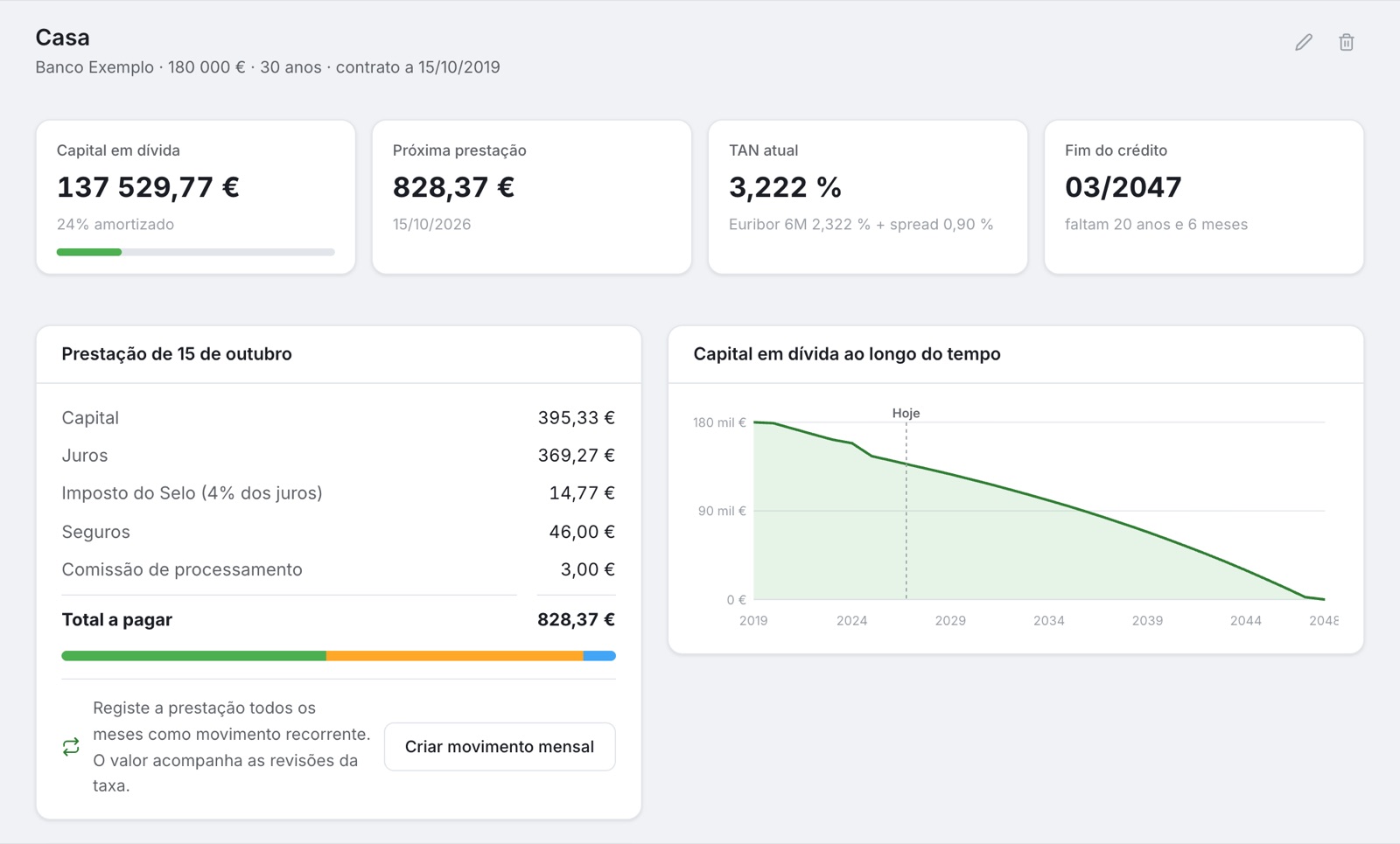
Everything you own and everything you owe, in one place: bank, savings, investments, your home and the loan against it. Balances update themselves from your transactions, and your net worth is tracked month over month.

Budgets & Alerts

Set a monthly budget and a limit for each category you want to watch. Moneydy warns you at 80% and again at 100%, and every Monday emails you a summary of the week, so you never have to go checking.

Savings & Goals

Link a savings product to its account and its balance follows every transfer; link a goal to the product and its progress updates itself. A new car, a trip or an emergency fund, month by month.

Investments Beta

Stocks and crypto in one portfolio, with prices that refresh themselves, returns over any period, sector allocation and closed-position stats. Sentinel keeps watch on your stocks: price alerts, earnings dates, 52-week ranges and dividend yields.

Passive Income New

Interest, dividends, rent and cashback on one card: what came in over the last 12 months, what it points to per year, and how much of your monthly spending it already covers.

Import & Export

Import your bank's CSV or Excel export, or fill in our template. Rules categorise it, possible duplicates are flagged, and you can export everything back to CSV or Excel anytime.

Your currency, your language

Euros, dollars or reais, in English or Portuguese. Holdings bought in another currency are converted with ECB exchange rates.

Free Calculators

Plan ahead without an account: see what compound interest does to your savings, when you could reach financial independence, and what your dividends pay.

See the full picture
at a glance

This is what your money looks like after one import: every screen below answers a question you're already asking.

Don't take screenshots' word for it

Open the live demo: a real account pre-filled with three months of sample data. No signup, no email, nothing to type. See exactly what you'd get before you enter a single number.

Try the Live Demo

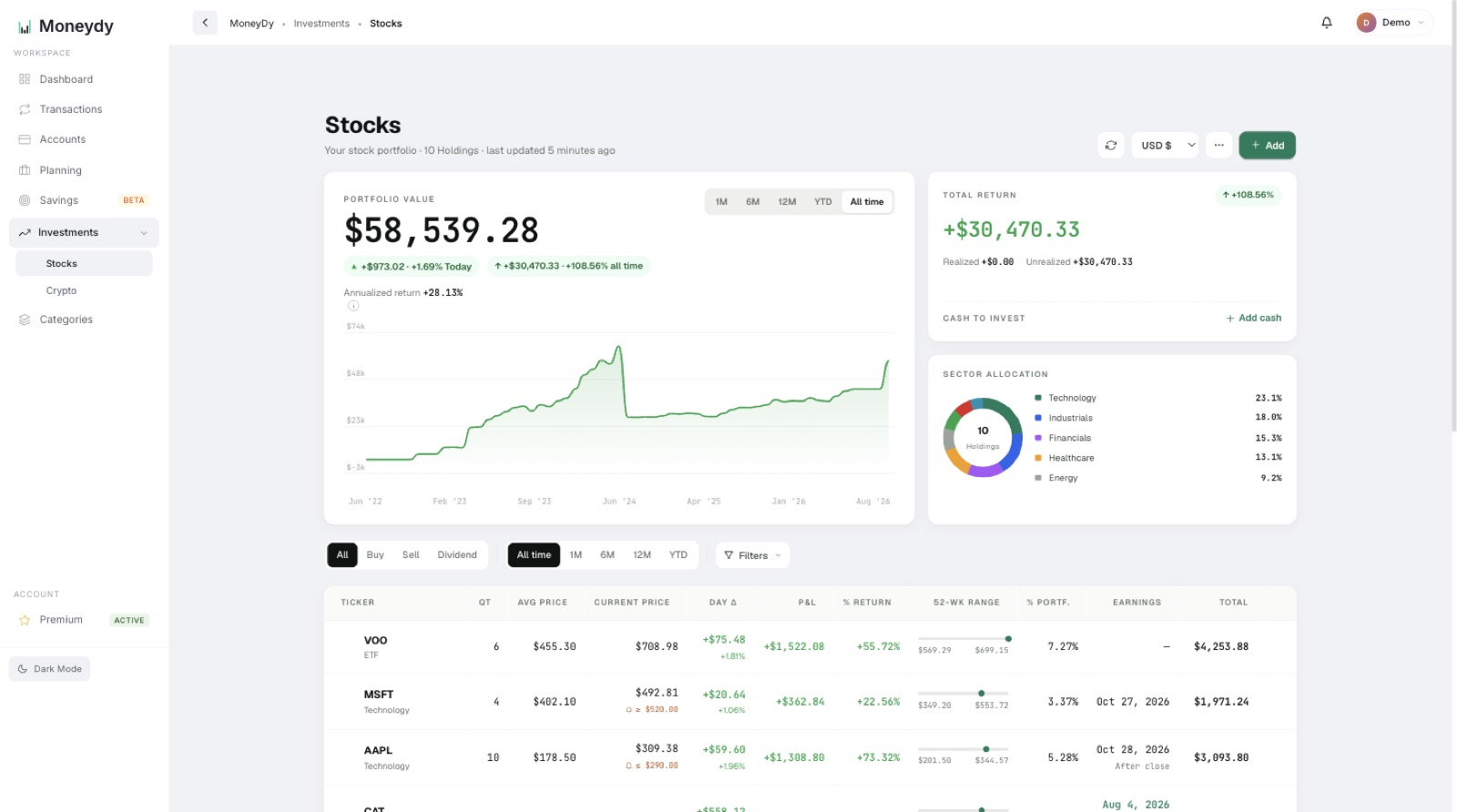
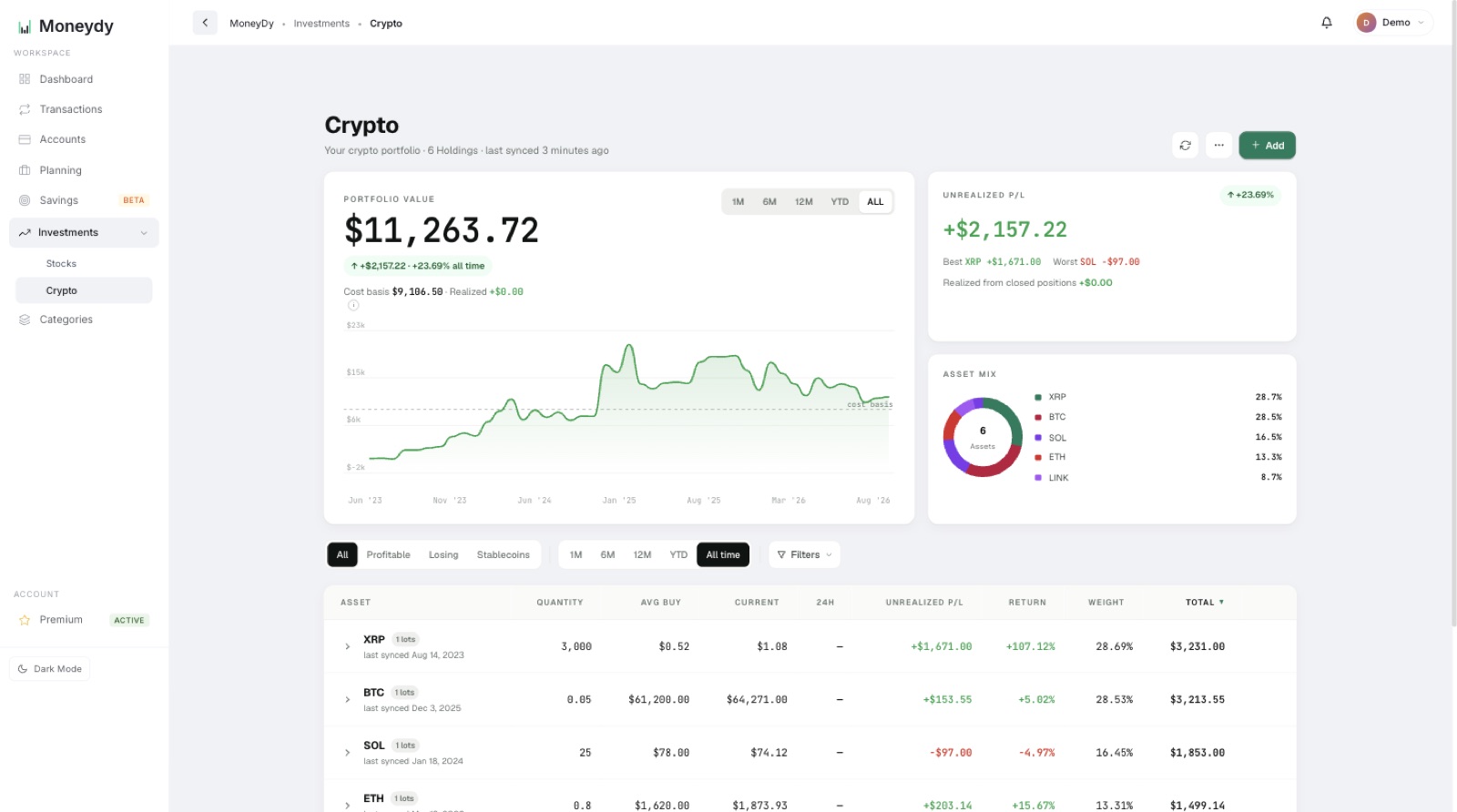
Investment Portfolio Tracking

Beta

Monitor stocks and crypto side by side: prices that refresh themselves, returns over any period and sector allocation.

Imports the file your broker exports:
  • Trading 212
  • XTB
  • Revolut
  • DEGIRO
  • or any CSV / Excel
app.moneydy.com/stocks
Stock Portfolio Tracker
Stock Portfolio
app.moneydy.com/crypto
Crypto Portfolio Tracker
Crypto Portfolio
Sentinel

Sentinel keeps watch, so you don't have to

Four signals on your stocks, on the same screen as your portfolio. Facts, not tips: Moneydy tells you what is happening, never what to buy.

Price alerts

Pick any stock and a target above or below. Prices are checked every hour, and you get a notification (and an email, if you want one) when the target is crossed.

Earnings dates

The next results date for each holding, flagged once it is 7 days away or less. Available for US-listed stocks.

52-week range

Where today's price sits between its 52-week low and high, on a single bar.

Dividend yield

Your portfolio's average yield, based on the last 12 months of payouts, and the yearly income it points to.

Three money questions.
Three answers.

Setup takes about 3 minutes: just an email, no credit card, no bank login. Here's what you get for it.

01

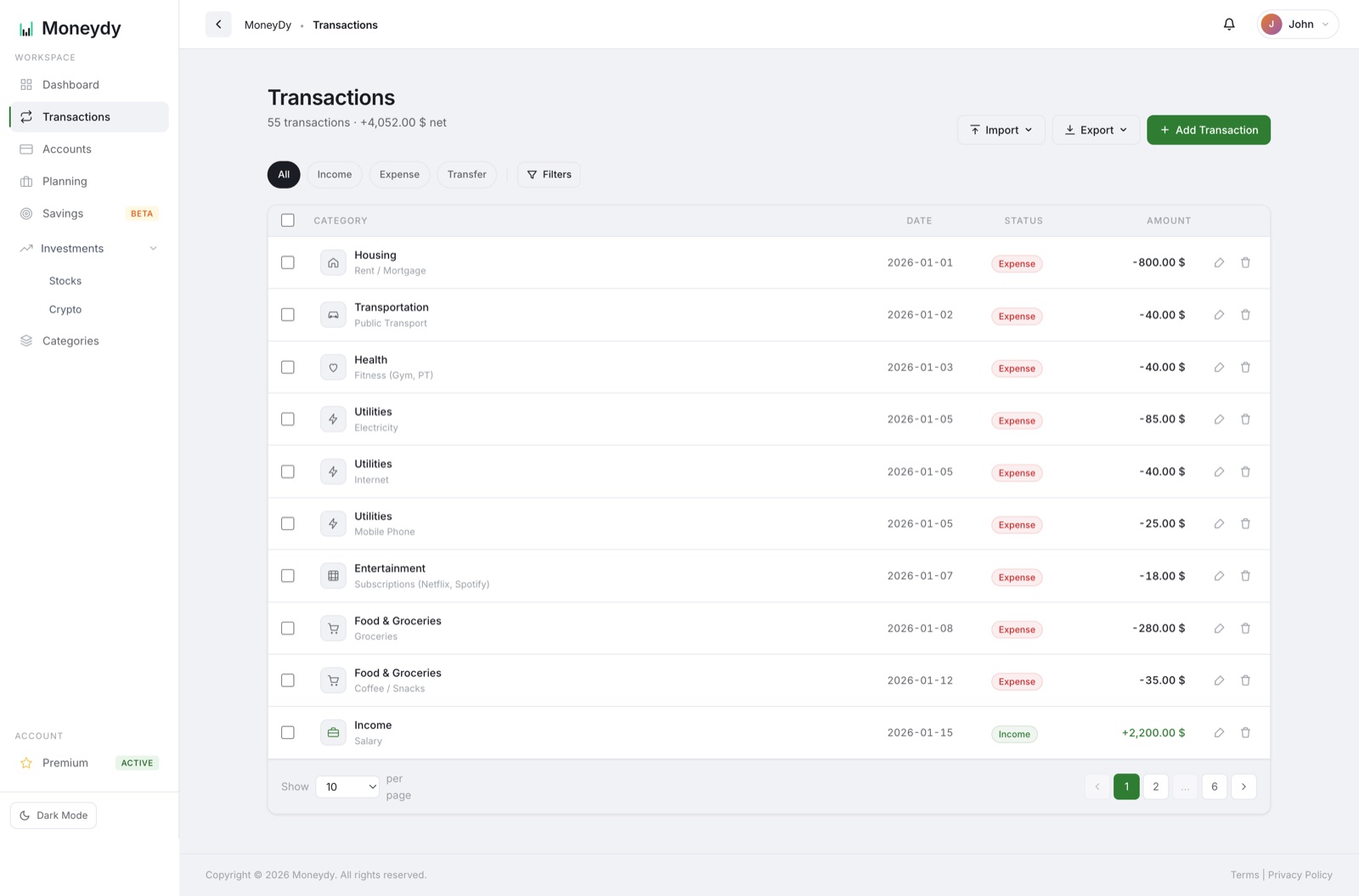
"Where does my money actually go?"

Export a CSV or Excel file from your bank and import it: your rules sort it into categories, possible duplicates are flagged and transfers between your accounts are paired up. Or add entries in a couple of taps. Either way you instantly see the split: housing, groceries, that subscription you forgot you had.

Transactions with categories
02

"Can I afford this right now?"

Set a monthly budget once, plus a limit for the categories that tend to run away. Every expense counts them down in real time, so you see what's actually left to spend today, and the balance forecast shows how the weeks ahead look.

Budget counting down
03

"Am I actually getting ahead?"

Spending, savings, stocks and crypto roll up into one live number, with prices that refresh themselves. Watch it month over month and know, not guess, that you're moving forward.

Dashboard with net worth
Want the answers before entering anything? Open the demo with sample data \u2192

Start free, grow when ready.

Basic tools free forever. Unlock everything with Premium for less than a coffee.

Monthly Annual Save €16
14 days of Premium, on us Every new account starts with full Premium access. No credit card required.
Free
€ 0 /month
Everything to get started.
  • Up to 30 transactions/month
  • 2 accounts
  • 20 categories
  • 12 monthly budgets
  • Up to 5 savings entries
  • Basic dashboard
  • Up to 3 investments
  • 3 rules, 3 recurring & 3 category budgets
  • 30-day balance forecast
Get Started Free
Premium
€ 2.99 /month
Full power, no limits.
14-day free trial, no card required
  • Unlimited transactions
  • Unlimited accounts & budgets
  • Unlimited categories & sub-categories
  • Advanced charts & reports
  • Unlimited savings & investments
  • Export data (CSV/Excel)
  • Multi-language support
  • Up to 200 rules, 100 recurring & 50 category budgets
  • Balance forecast up to 90 days
Start Now

Your financial data,
handled with care.

Moneydy isn't a bank and never connects to one. That keeps the attack surface small, and we take what's left seriously.

No bank login, ever

We never ask for bank or broker credentials, so there are none to steal. Only what you type in or import is stored.

Encrypted and hashed

Every page and API call runs over HTTPS. Passwords are stored only as bcrypt hashes, never in plain text.

Payments by Stripe

Card details go straight to Stripe and never touch our servers. We only ever see the last four digits.

Your data, your call

Delete your account from your profile and every transaction, account, budget and investment goes with it. Run under EU GDPR from Porto, Portugal.

The details are in our Privacy Policy.

Questions, answered.

What people ask us before they sign up.

Do you connect to my bank or broker?

No. Moneydy never asks for a bank or broker login. You add entries by hand, or import the CSV or Excel file your bank already lets you export.

Which banks and brokers does it work with?

Any of them. There is no integration to break: export your statement as CSV or Excel and import it. Moneydy recognises the usual column names, and our template covers anything unusual. Trading 212, Revolut, XTB and DEGIRO exports are read as they come. From then on, stock and crypto prices refresh themselves.

Can it categorise my transactions automatically?

Yes, with rules you control. New accounts come with pre-set rules for common merchants, and you can add your own (3 on the Free plan; pre-set rules don't count). Rules run on every import, and you can apply one to the transactions you already have.

Does it handle recurring bills like rent and subscriptions?

Yes. Set up your salary, rent or a subscription once and Moneydy records it on the day, or waits for you to confirm. The dashboard shows what is due in the next 30 days. The Free plan includes 3 recurring transactions.

Can I set a budget for each category?

Yes. Give groceries, eating out or any other category its own monthly limit; it repeats every month until you end it. Moneydy warns you at 80% and at 100%, and emails you when a category goes over. The Free plan includes 3 categories with a budget.

Can it tell me if I'm about to run short?

It forecasts it. The dashboard projects your bank and cash balance day by day from today, using transactions you've dated ahead, your recurring bills and income, and your usual everyday spending. If you have recurring income and the balance is heading below zero in the next 14 days, you get a notification and an email. Irregular income isn't counted, so it errs on the low side. 30 days ahead on the Free plan, up to 90 on Premium.

Is it really free?

Yes. The Free plan has no time limit (up to 30 transactions a month, 2 accounts and 3 investments). Every new account also gets 14 days of Premium, with no credit card.

What happens when the 14-day trial ends?

Nothing is charged, because we never asked for a card. You move to the Free plan automatically and everything you entered stays; the limits only apply to new entries.

Does it work outside Portugal?

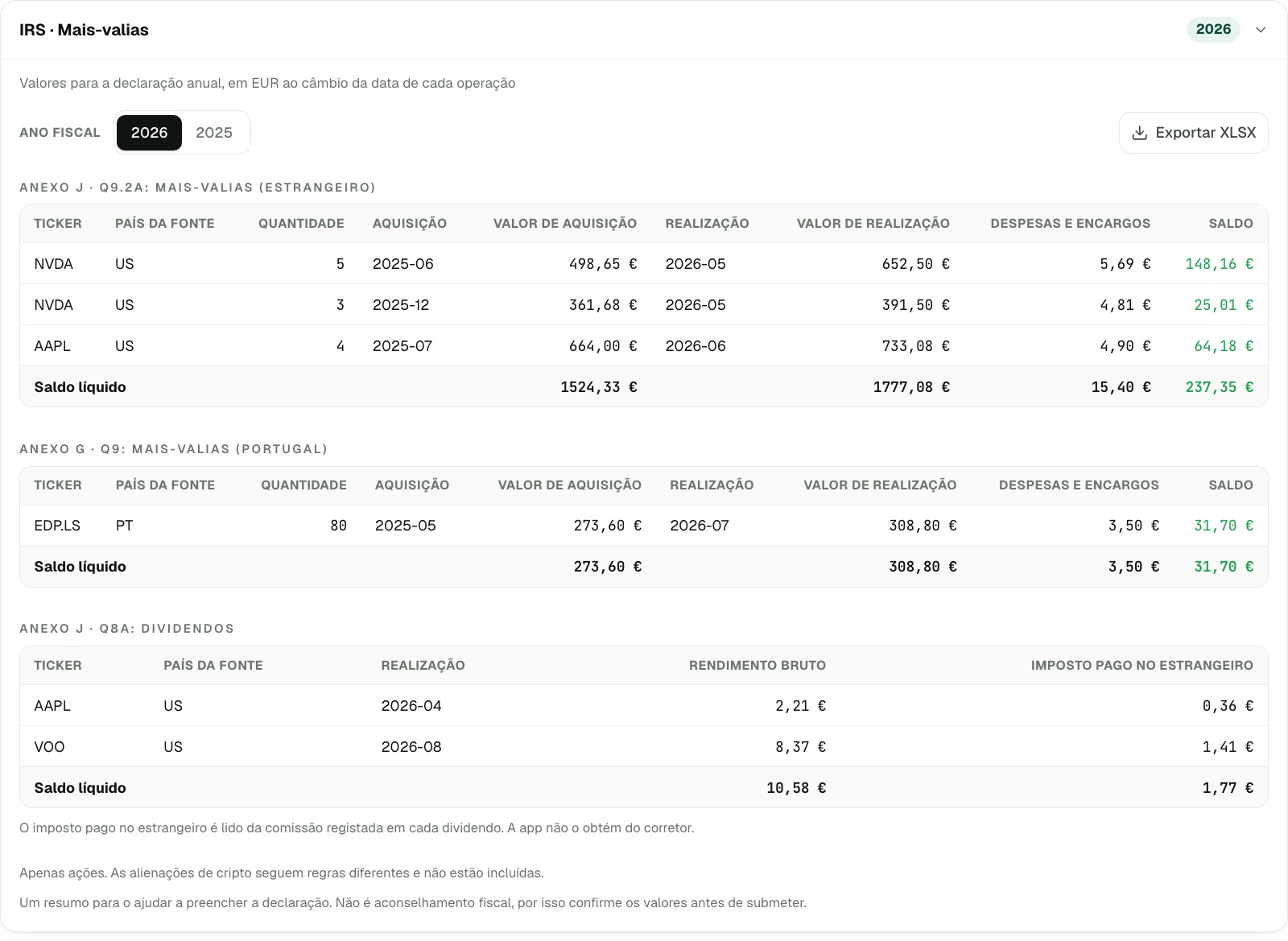
Yes. Moneydy works in English or Portuguese, in euros, dollars or reais. The only Portugal-specific part is the IRS report for stocks.

Can I delete my account and my data?

Yes, anytime, from your profile page. Your account and every transaction, account, budget and investment are permanently deleted.

Can I try it before signing up?
Yes. The live demo is a real account pre-filled with sample data. No email, nothing to type. Open the demo →

Didn't find your answer? Email us at support@moneydy.com .

Ready to take control
of your finances?

Look around a real account in the demo first. When you're ready, start free: no credit card, 14 days of Premium included.